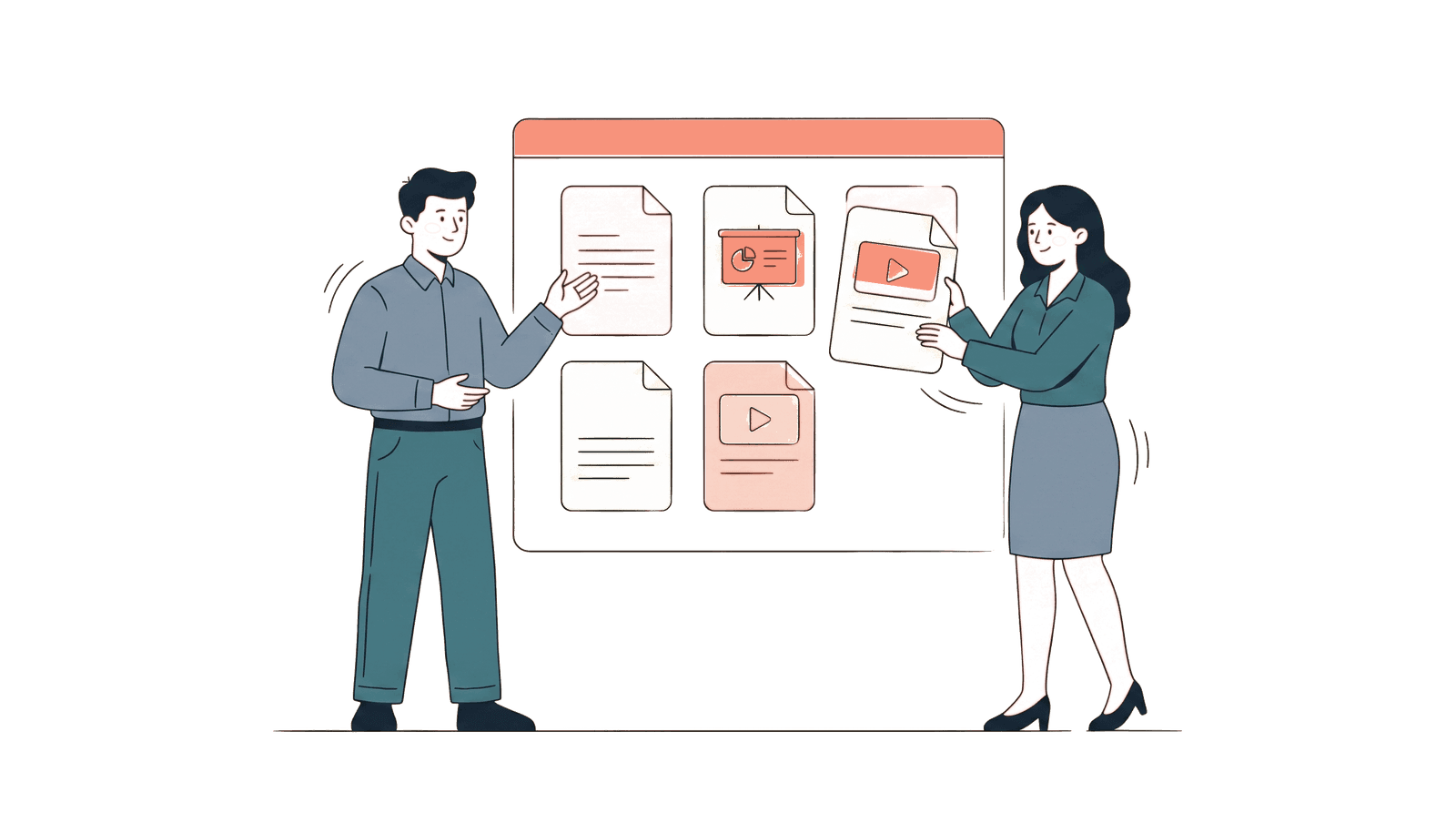
A digital sales room is a branded web page for one deal where a seller puts the documents a buyer needs, such as the proposal, pricing, case studies, and contract, together with the next steps, and shares it all as a single link. The seller then sees which documents and pages get attention, when, and for how long.
That's the one-sentence definition. Here's why it matters.
Contents:
- The problem DSRs solve
- How a digital sales room works
- Core features
- DSR vs. the alternatives
- Who uses digital sales rooms
- How to measure ROI
- How to get started
The problem DSRs solve
Here's what a typical B2B deal looks like without a digital sales room:
- You have a discovery call with a prospect.
- You send them a proposal as a PDF attachment. Maybe a separate case study. Pricing in a spreadsheet. Contract in a Word doc.
- They forward some of the files to their CFO. The CFO asks their legal team to review the contract. The legal team asks for a different version.
- Meanwhile, you have no idea which files anyone has opened, who's involved in the decision, or what they care about. You send a "just checking in" follow-up on day 3. And day 7. And day 12.
- The deal either closes after weeks of email ping-pong, or it dies silently because someone lost the attachment.
The problem isn't that your proposal was bad. It's that you sent five separate files to one person and hoped they'd organize, distribute, and respond on their own — with zero visibility into any of it.
Digital sales rooms fix this by replacing steps 2 through 5 with a single link that acts as a shared workspace between you and the buyer.
The shift already happened for code and design
This is the same shift that happened in other fields. Developers stopped emailing code patches and started sharing pull request URLs. Designers stopped attaching mockup PNGs and started sharing Figma links. In both cases, the move from "send a copy" to "share access to one source" improved collaboration, visibility, and version control. Digital sales rooms bring the same shift to document-heavy business processes.
How a digital sales room works
The workflow is straightforward. A digital sales room takes the documents you'd normally email as attachments and turns them into a single, tracked link.
Step 1: Upload your documents
Upload the files your buyer needs — proposals, decks, contracts, case studies, pricing sheets, ROI models in Excel. Most platforms accept PDF, PowerPoint, Word, Excel, and other common formats. Some integrate directly with Google Workspace so you can skip the download-upload cycle.
Step 2: Organize into a room
Arrange documents into sections that make sense for your buyer. A typical sales room might look like:
- Overview — Executive summary, product demo video
- Proposal — Scope of work, timeline, team bios
- Pricing — Pricing breakdown, ROI calculator
- Proof — Case studies, testimonials, references
- Next Steps — Contract, mutual action plan
You're building a self-serve hub — everything the buyer needs to evaluate, share internally, and make a decision.
Step 3: Share one link
Instead of attaching five files to an email, you paste one link. The buyer clicks it and sees a clean, branded page with all your materials organized. No downloads needed. No "which file was the latest version?" confusion.
Step 4: Track engagement
This is where DSRs fundamentally differ from email attachments or Google Drive links. Every interaction is logged:
- Who opened the room and each document
- When they viewed it — with real-time notifications
- How long they spent on each page or slide
- What they focused on — pricing vs. case study vs. contract
- Who else may have viewed it: an additional viewer record can mean the link was forwarded, opened on another device, or reached another stakeholder, so treat it as a reason to ask rather than proof
- Whether they came back — return visits signal serious evaluation
You go from "I sent the proposal and I'm waiting" to "their CFO spent 6 minutes on the pricing page yesterday afternoon and their legal counsel opened the contract this morning."
Step 5: Follow up with context
Instead of a generic "just checking in," you follow up based on what you know: "I noticed your team has been reviewing the proposal — happy to walk through the pricing model or answer any questions from the group."
The entire dynamic shifts. You're not guessing. You're responding to observed behavior.
Core features of a digital sales room
Not every tool has every feature, but most modern deal rooms share a common set. Here's what the category offers.
Document hosting and organization
Upload multiple files, organize by section, present in a branded viewer. The buyer sees a clean page — not your file storage tool's interface.
Per-document and per-page analytics
At minimum, see which documents were opened. Better tools show per-page engagement analytics — which slide the viewer spent time on, where they dropped off, what they skipped. This is the data that turns a generic follow-up into a targeted one.
Real-time notifications
Get alerted the moment someone opens your room — by email, Slack, or in-app. Don't wait hours or days to find out someone is engaging with your materials.
Viewer identification
Each share link can be created for a specific recipient, so its views are associated with that person rather than an anonymous visitor. Anyone who has the link can still open it unless the tool asks viewers to verify their email. When a personal link is opened in another browser or device, some tools show an additional viewer record, which may mean forwarding, another device, or another stakeholder.
Mutual action plans
A mutual action plan lists the steps both sides agree to before signing, such as "Review proposal," "Get budget approval," and "Legal review of terms," each with an owner and a due date. Tools differ on what the buyer can do: some let buyers add and edit tasks, others let them complete only the tasks assigned to them. Every HummingDeck Room, on every plan, includes one mutual action plan. Sellers own its structure, and buyers check off their own tasks without creating an account.
Download control and access management
Choose whether recipients can download files or only view them online. Set link expiration dates. Revoke access with one click. Password-protect sensitive rooms.
Bot detection
When you share a link via email, corporate security systems (Microsoft SafeLinks, Proofpoint, Mimecast) automatically scan the link and create phantom "views." Good DSR tools flag or filter known scanner traffic so it doesn't inflate your view counts, although no filter can prove that every remaining view is human.
CRM integration
Sync engagement data back to Salesforce, HubSpot, or other CRMs. View activity timelines on the deal record. Trigger workflows based on engagement thresholds.
DSR vs. the alternatives
vs. Email attachments
Email attachments are how most teams share documents today. They work — in the sense that the file arrives. But once you hit send, you lose all visibility into what happens next. Attachments can't be tracked, can't be updated, can't be revoked, and can't tell you who's reading what.
| Email attachments | Digital sales room | |
|---|---|---|
| Documents organized | No — scattered across emails | Yes — one branded page |
| Know if they opened it | No | Yes — real-time |
| Know what they read | No | Yes — per-page |
| Know who else saw it | No | Yes — multi-viewer detection |
| Update after sending | No — they have a static copy | Yes — viewers see latest version |
| Revoke access | No — they have the file | Yes — one click |
| File size limits | 20–25MB | Usually 100MB+ |
vs. Google Drive / Dropbox / OneDrive
Cloud storage links are a step up from attachments. They have no size limits and keep versions current. But tracking is minimal. Google's Activity dashboard only covers Docs, Sheets, and Slides files owned by work or school accounts, and outside viewers appear only when their own organization's settings allow it. No per-page analytics, no real-time notifications, no engagement depth.
Cloud storage also presents your documents inside someone else's UI — Google Drive toolbar, Dropbox branding, OneDrive menus. A DSR presents them in a clean, branded viewer that looks intentional.
vs. Traditional data rooms (Intralinks, Datasite)
Enterprise data rooms are built for M&A due diligence, with granular permissions and compliance audit trails. They're overbuilt and overpriced for sales, HR, agency, or fundraising workflows. A sales-focused DSR, by contrast, is built for live deals, with engagement notifications, lightweight access, and content organized for buyers rather than auditors. Digital sales rooms offer the core functionality (document organization, access control, engagement tracking) from free plans and $10 a month, with most paid tiers between about $25 and $100 per user per month.
vs. Proposal tools (PandaDoc, Qwilr)
Proposal tools focus on document creation — templates, drag-and-drop builders, interactive pricing tables. Digital sales rooms focus on document distribution and tracking. Some tools (PandaDoc, GetAccept) combine both. If you already have proposals in PDF or PowerPoint, you don't need a creation tool — you need a sharing and analytics platform.
Who uses digital sales rooms
The name says "sales," but the workflow applies to any high-stakes document exchange with multiple stakeholders.
B2B sales teams — the original use case. Organize proposals, demos, pricing, and contracts in one room per deal. Track buying committee engagement. Time follow-ups based on engagement data.
Fundraising founders — share pitch decks, financial models, and data room materials with investors via tracked links. See which VCs are seriously evaluating vs. being polite.
HR and recruiting — create offer packages with compensation details, benefits, team info, and equity breakdowns. Track candidate engagement to time negotiation calls.
Agencies and consultancies — send creative proposals, SOWs, and contracts in organized rooms, or set up a permanent client portal for ongoing deliverables. Identify which creative direction clients prefer before the feedback call.
Real estate agents — share listing packages, floor plans, HOA docs, and comparable sales. Separate serious buyers from browsers based on engagement.
How to measure if a DSR is working
Adopting a new tool only makes sense if it improves outcomes. Here's what to measure.
Leading indicators (within weeks)
- Engagement rate: What percentage of prospects actually open your room? Track it against your own baseline. If it drops, check the email framing and subject line before blaming the room.
- Completion rate: How much of the material do viewers consume? If most prospects read 30% and bail, your documents may be too long or poorly structured.
- Multi-viewer rate: What percentage of deals have more than one viewer? Higher is better — it means your materials are being shared internally.
- Time to first view: How quickly after sending do prospects open the room? If it's consistently 3+ days, consider urgency in your messaging.
Lagging indicators (within months)
- Sales cycle length: Are deals closing faster now that buyers can self-serve information instead of waiting for email responses?
- Follow-up effectiveness: Are response rates higher when you follow up based on engagement data vs. arbitrary timing?
- Win rate: The bottom line. Compare win rates on deals where you used a DSR vs. deals where you used email attachments.
- Proposal quality: Are completion rates improving as you optimize your documents based on drop-off data?
The benchmark most teams miss
The single most useful comparison: track the same sales rep's performance for one quarter using email attachments, then one quarter using a DSR. Control for deal size and lead quality.
How to get started
1. Pick a tool
The market ranges from free open-source options to enterprise platforms. For a vendor-by-vendor view, see our digital sales room software comparison. The short version:
- Focused rooms with a free plan: HummingDeck (Starter $10 a month for one user, Pro $25 per user per month), Trumpet, Aligned, and Flowla
- Broader workflow: Dock for onboarding, client portals, and content, or GetAccept for proposals, contracts, and e-signature
- Enterprise suites: Accord, DealHub, and Highspot by Seismic, each bought through a sales conversation
- Self-hosting: Papermark offers a self-hosted option, and is built around data rooms rather than deal workflows
2. Start with one deal
Don't roll out to the whole team on day one. Pick your next proposal and build a room for it. Upload the documents you'd normally attach to an email. Organize them into sections. Send the link instead of the files. Want to see what the buyer experience looks like? Here's a live demo room.
3. Watch the analytics
Within 24–48 hours of sending, check the engagement data. Who opened it? How long did they spend? Which documents got attention? Did anyone else view it? This first experience usually makes the value immediately clear.
4. Refine your follow-up
Use the engagement data to time and personalize your follow-up. Instead of "just checking in" on day 3, respond to what you see: which sections they focused on, whether they forwarded it to colleagues, whether they came back for a second look.
5. Expand to the team
Once you've seen the workflow on 3–5 deals, bring in the rest of your team. Most DSR tools have templates — build a standard room structure so every rep sends a consistent, organized package.
FAQ
What does DSR stand for?
In B2B software sales, DSR stands for digital sales room: one shared link where a buyer finds a deal's documents, next steps, and contacts while the seller sees engagement. Vendors also call it a deal room or a buyer engagement platform. In retail and distribution sales, DSR can also mean a daily sales report or a direct sales representative.
What are the benefits of a digital sales room?
A digital sales room replaces scattered attachments with one link the buyer can share inside their company. The seller sees which documents and pages get attention and when to follow up, can update or revoke files after sending, and keeps the next steps in the same place as the documents.
What does a digital sales room look like?
Most digital sales rooms look like a branded web page for one deal, with the content grouped into sections such as Overview, Proposal, Pricing, Proof, and Next Steps. The buyer opens it from a single link and reads everything in the browser without downloading files.
Which companies offer digital sales rooms?
Focused room products include HummingDeck, Trumpet, Aligned, and Flowla, which all publish permanent free plans. Dock and GetAccept cover more of the customer workflow, and Accord, DealHub, and Highspot by Seismic are sales-led enterprise systems.
How is a digital sales room different from a shared Google Drive folder?
Three key differences. First, a DSR presents your documents in a clean, branded viewer rather than Google's interface. Second, a DSR provides per-document and per-page analytics showing which documents and pages got attention. Third, a DSR sends real-time notifications when someone opens your materials. Google's Activity dashboard only covers Docs, Sheets, and Slides files owned by work or school accounts, shows outside viewers only when their organization's settings allow it, and provides no engagement depth.
Do buyers need to create an account to view a digital sales room?
Buyers usually open a digital sales room from a link without creating an account or installing anything. Some tools can ask for an email address first, require the buyer to verify an email, or limit access to invited people, so check which access option each link uses.
How much does a digital sales room cost?
Several tools have permanent free plans, limited by rooms or workspaces rather than documents. Paid plans start at $10 a month for one user on HummingDeck Starter, most per-user tiers cost about $25 to $100 a month, platform packages reach $1,000 a month, and sales-led vendors quote custom pricing. Compare seat minimums and billing terms before per-user prices.
Can I use a digital sales room for non-sales purposes?
Yes. The workflow applies to any scenario where you share multiple documents with external stakeholders and want to track engagement: recruiting offer packages, agency proposals, investor pitch decks, real estate listing packages, consulting RFPs.
What's the difference between a digital sales room and a data room?
A data room is built for due diligence in M&A, fundraising, or audits, with per-file permissions, watermarking, NDA gates, structured Q&A, and audit exports. A digital sales room is built to move a sale forward: one link with the deal's documents and next steps, plus engagement signals for the seller. It does not replace those diligence controls.
Do digital sales rooms integrate with CRMs?
Most do. Common integrations include Salesforce, HubSpot, Pipedrive, and Close. Engagement data syncs to the deal record so your CRM shows not just "proposal sent" but "proposal viewed by 3 people, pricing page viewed for 6 minutes." The depth of integration varies by platform.
Are digital sales rooms secure?
Yes, with standard security features: password protection, link expiration, download control, access revocation, and encryption. Enterprise-grade platforms add SOC 2 Type II certification, SSO (SAML), and audit logs. Self-hosted options (Papermark) let you control the infrastructure entirely.
Will a digital sales room actually help me close more deals?
The honest answer: a DSR doesn't close deals; your product, pricing, and salesmanship do. What a DSR does is give you information you didn't have before: who's engaged, what they care about, and when they're ready to talk. Use it to time and personalize follow-ups, then compare cycle length and win rate against deals you ran by email. A DSR won't fix a bad product or a wrong-fit prospect.